(Een tussenliggende versie door dezelfde gebruiker niet weergegeven)
Regel 10:
Regel 10:
===Current coordinates===
===Current coordinates===
In case you want to (un)display your coordinates, you can enter the [https://wazeopedia.waze.com/wiki/Global/Search_codes Search code] '''##@coord'''. This toggles the display of the current coordinates.
In case you want to (un)display your coordinates, you can enter the [https://www.waze.com/discuss/t/search-codes/377965 Search code] '''##@coord'''. This toggles the display of the current coordinates.
{{Bottomline}}
{{Bottomline}}
Huidige versie van 13 jul 2025 10:37
Using coordinates in the App
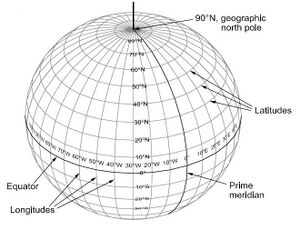
It is possible in the Waze app to define the destination via coordinates bij entering the latitude and longitude separated by a comma, like "##.####,##.####" (the number of decimals is free). Also possible is the notation using degrees like: 52°22'12", 4°53'12".
Example
Atomium Brussel is located at the position defined by latitude 50.894941 and longitude 4.341547.
Enter 50.894941,4.341547 in the app search field and the position of the Atomium - displayed as "received location" - can be selected as destination of your trip.
Current coordinates
In case you want to (un)display your coordinates, you can enter the Search code##@coord. This toggles the display of the current coordinates.